
Publisher-Style Tracked Revisions with latexdiff
When journals ask for a “tracked changes” version of a manuscript, LaTeX authors usually reach for latexdiff. The output can look a little mysterious at first because the generated file is full of commands such as \DIFadd, \DIFdel, \DIFaddFL, and \DIFdelbeginFL. This post explains what those commands are doing, why they exist, and how to think about them in a revision workflow.
GitHub links:
- Post source: 2026-04-16-latexdiff-publisher-style-tracked-revisions.md
- Site repository: MShirazAhmad/NoteBook
The core idea
These commands are not meant for everyday writing. They are revision-markup commands.
Their job is to turn the difference between an older manuscript and a revised manuscript into a PDF that behaves like tracked changes in a word processor:
- added text is visibly marked
- deleted text stays visible long enough for review
- larger inserted or removed regions can be grouped as blocks
- the resulting PDF stays readable and submission-friendly
In that sense, they are the LaTeX implementation layer behind a publisher-style marked revision.
A minimal setup
Here is a compact version of the command definitions:
\providecommand{\DIFadd}[1]{{\color{blue}#1}}
\providecommand{\DIFdel}[1]{{\color{red}\sout{#1}}}
\providecommand{\DIFaddbegin}{\begingroup\color{blue}}
\providecommand{\DIFaddend}{\endgroup}
\providecommand{\DIFdelbegin}{\begin{DIFdelblockbox}\color{red}}
\providecommand{\DIFdelend}{\end{DIFdelblockbox}}

\providecommand{\DIFaddFL}[1]{\DIFadd{#1}}
\providecommand{\DIFdelFL}[1]{\DIFdel{#1}}
\providecommand{\DIFaddbeginFL}{\DIFaddbegin}
\providecommand{\DIFaddendFL}{\DIFaddend}
\providecommand{\DIFdelbeginFL}{\DIFdelbegin}
\providecommand{\DIFdelendFL}{\DIFdelend}
The important distinction is:
\DIFadd{...}and\DIFdel{...}are inline markup\DIFaddbegin ... \DIFaddendand\DIFdelbegin ... \DIFdelendare block markup- the
FLvariants are float-safe or float-oriented wrappers used bylatexdiff
Inline additions and deletions
For small changes inside ordinary prose, the base commands are the clearest.
Added text
The experiment showed \DIFadd{clear evidence of pore coarsening}.
This reads naturally in the diff PDF: the sentence remains intact, and the inserted phrase is highlighted inline.
Deleted text
This method is \DIFdel{probably} sufficient for preliminary screening.
This works best when the deleted phrase is short and meaningful on its own. For deletion examples, plain text is safer than embedding raw math syntax inside \DIFdel{...}.
What the FL commands are for
The FL variants exist because not every LaTeX context tolerates ordinary markup equally well. Floats, captions, and some moving arguments can be fragile. So latexdiff sometimes replaces the standard commands with:
\DIFaddFL{...}\DIFdelFL{...}\DIFaddbeginFL ... \DIFaddendFL\DIFdelbeginFL ... \DIFdelendFL
In many cases, you can read them the same way as the non-FL versions. The difference is mostly about where latexdiff decided it needed a safer wrapper.
Why \DIFdelbeginFL may appear to “do nothing”
This is one of the biggest sources of confusion.
By default, latexdiff often uses a float style called FLOATSAFE. In that style, the block-level FL commands can be empty:
\providecommand{\DIFaddbeginFL}{}
\providecommand{\DIFaddendFL}{}
\providecommand{\DIFdelbeginFL}{}
\providecommand{\DIFdelendFL}{}
That means block markup inside floats may not show a visible enclosing effect, even though inline changes like \DIFdelFL{...} still render.
If you want the FL block commands to behave like the regular block commands, the conceptual model is IDENTICAL float style:
\providecommand{\DIFaddbeginFL}{\DIFaddbegin}
\providecommand{\DIFaddendFL}{\DIFaddend}
\providecommand{\DIFdelbeginFL}{\DIFdelbegin}
\providecommand{\DIFdelendFL}{\DIFdelend}
With that approach, \DIFdelbeginFL ... \DIFdelendFL inherits the same block-level revision behavior as \DIFdelbegin ... \DIFdelend.
Block revisions
Sometimes a whole sentence or paragraph has changed enough that treating it as a block is clearer.
Added block
\DIFaddbeginFL
This paragraph introduces a new interpretation of the densification pathway.
It emphasizes that transport limitation may emerge only after reaction
completion is independently verified.
\DIFaddendFL
This is useful when the revision is conceptual rather than just lexical.
Deleted block
\DIFdelbeginFL
The previous draft referred to fully uniform reaction completion
without discussing spatial resolution limits.
\DIFdelendFL
For robust rendering, I prefer a boxed deleted-block presentation for paragraph-scale deletions rather than trying to force paragraph-wide strikeout through every LaTeX context. Inline deletions can still use strikeout, while block deletions get a stable visual container.
Citations inside revised prose
Citations are common in revised text, and the best pattern is usually to mark only the changed words, not the citation command.
Addition near a citation
Recent work supports \DIFadd{pressure-sensitive pore evolution}
in reactive carbide systems~\cite{exampleRefA}.
Deletion near a citation
This mechanism is \DIFdel{probably} dominant at early times~\cite{exampleRefB}.
That keeps the claim and its reference together while making the actual wording change obvious.
Compiled output
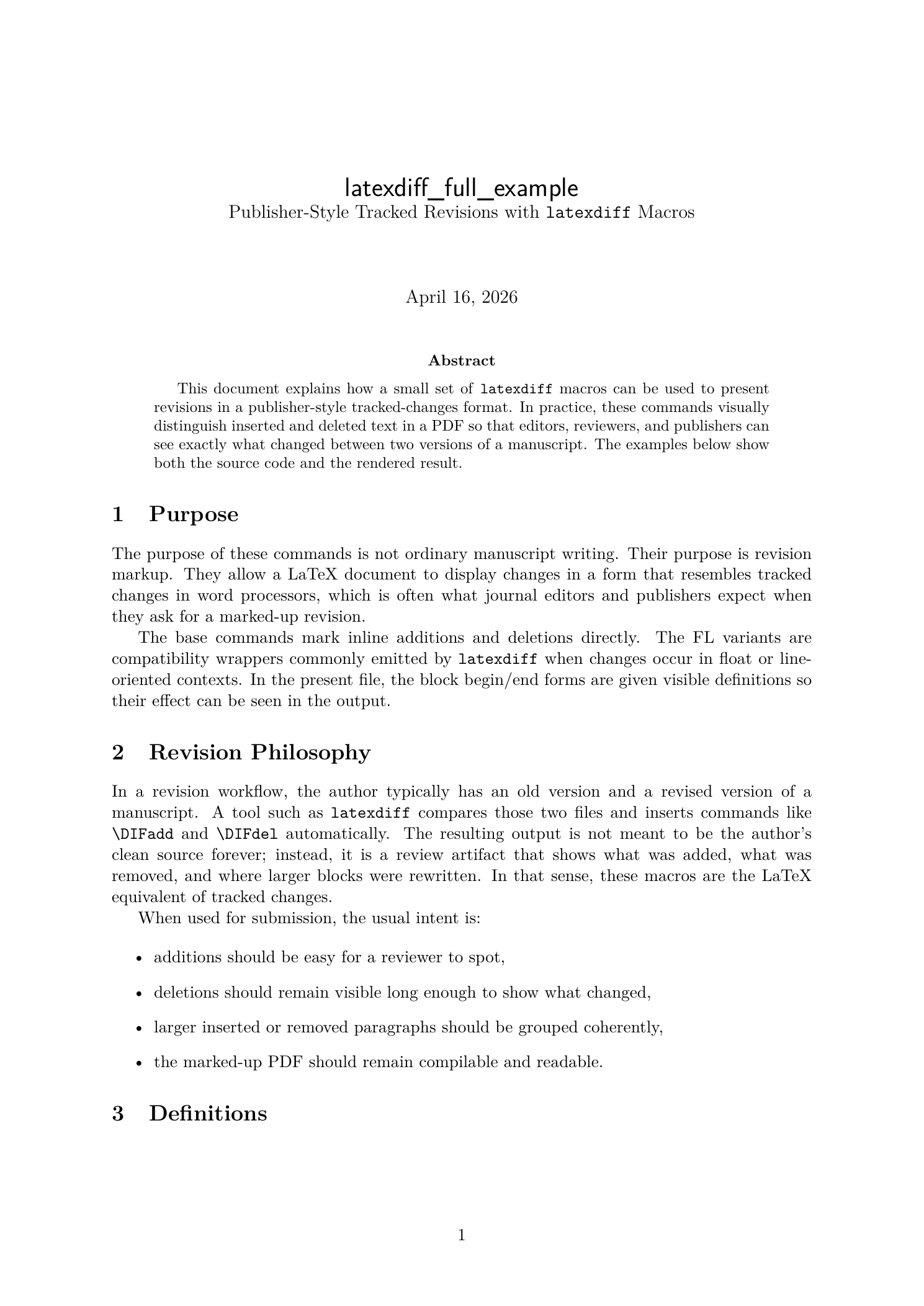 The compiled PDF begins by framing these macros as publisher-style tracked revisions rather than normal writing commands.
Captions
Captions are real prose, so latexdiff often marks them word by word.
Added caption wording
\caption{Cross-sectional micrograph showing
\DIFadd{enhanced pore rounding at higher pressure}.}
Deleted caption wording
\caption{Time-resolved image of the pellet
\DIFdel{under fully uniform conversion conditions}.}
This is usually exactly what you want in a review PDF, because it lets a reviewer see whether the interpretation of the figure changed.
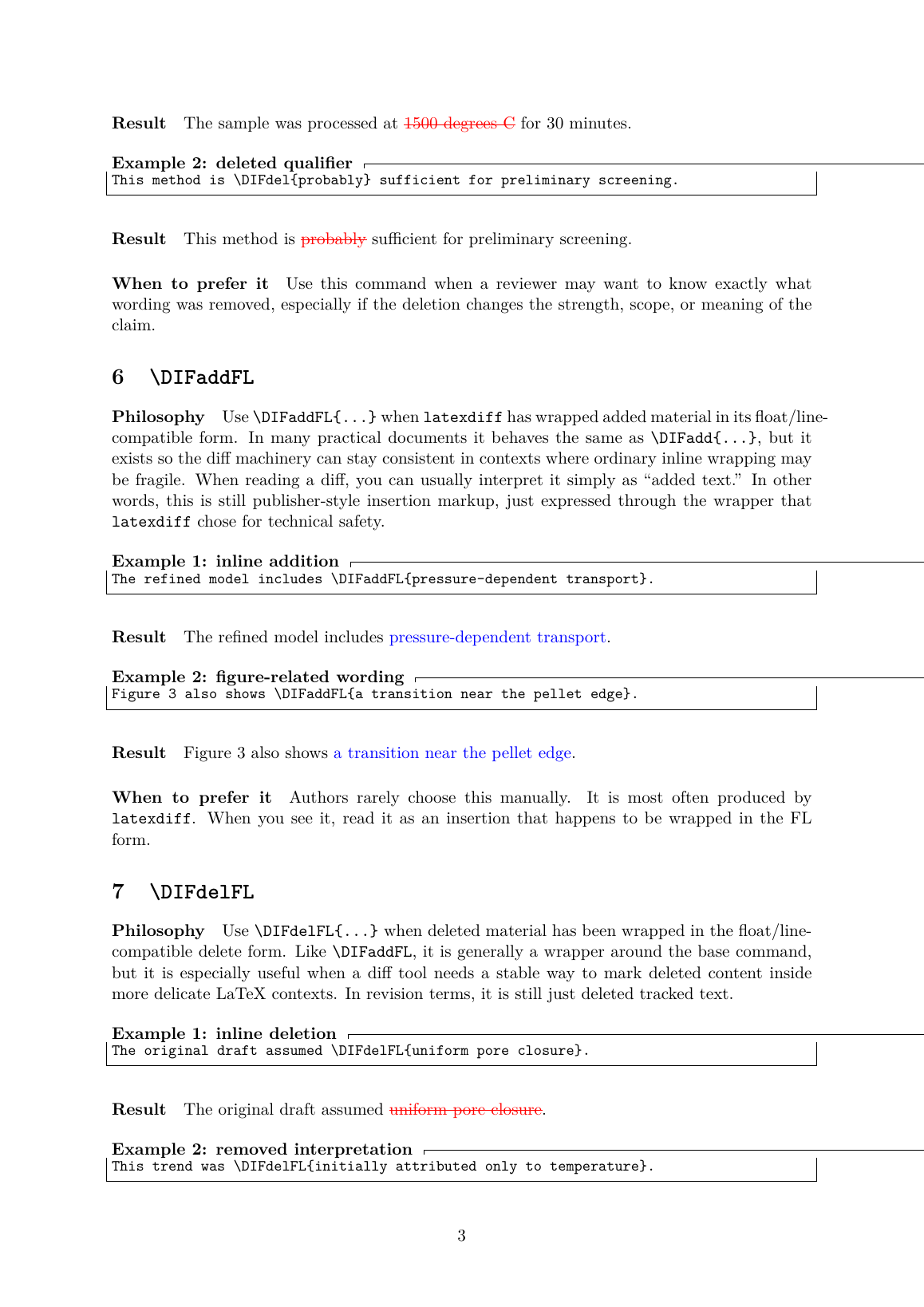 Inline additions and deletions are easy to scan in the rendered PDF, which is why they work well for submission-ready revision markup.
Figure environments and FL commands
Inside floats, latexdiff may switch to the FL variants automatically.
Addition inside a figure
\begin{figure}[ht]
  \centering
  \fbox{\rule{0pt}{1.2in}\rule{0.65\linewidth}{0pt}}
  \DIFaddbeginFL
  \caption{Revised workflow including
  \DIFaddFL{a verification step after synthesis}.}
  \DIFaddendFL
\end{figure}
Deletion inside a figure
\begin{figure}[ht]
  \centering
  \fbox{\rule{0pt}{1.2in}\rule{0.65\linewidth}{0pt}}
  \caption{Pressure-dependent morphology map with
  \DIFdelFL{a fully uniform conversion assumption}.}
\end{figure}
That second pattern is especially useful because it avoids fragile nested block deletion inside a caption while still making the deleted wording visible.
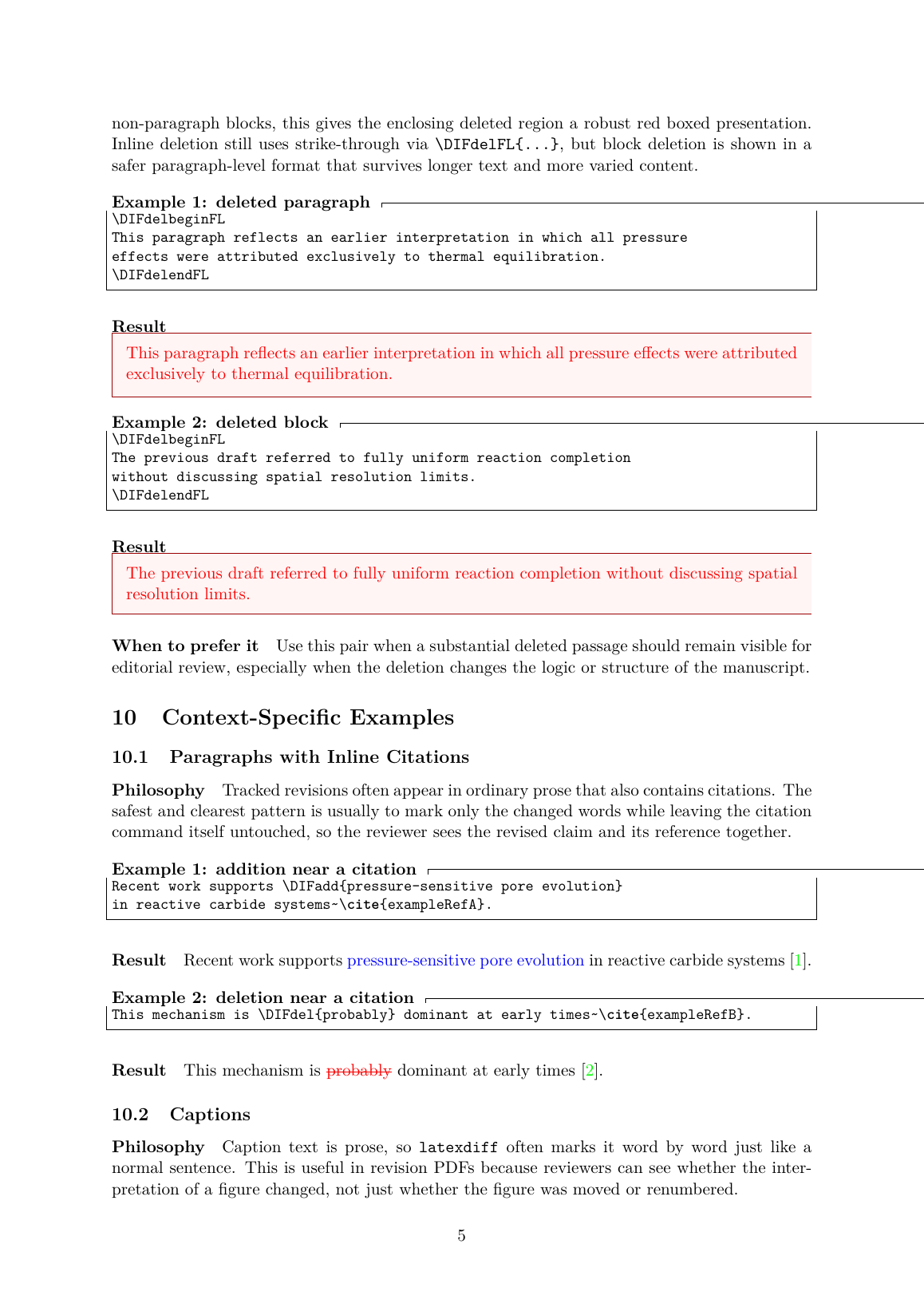 Block-level deletions and citation-containing prose can still be presented cleanly in a review copy when the markup is structured carefully.
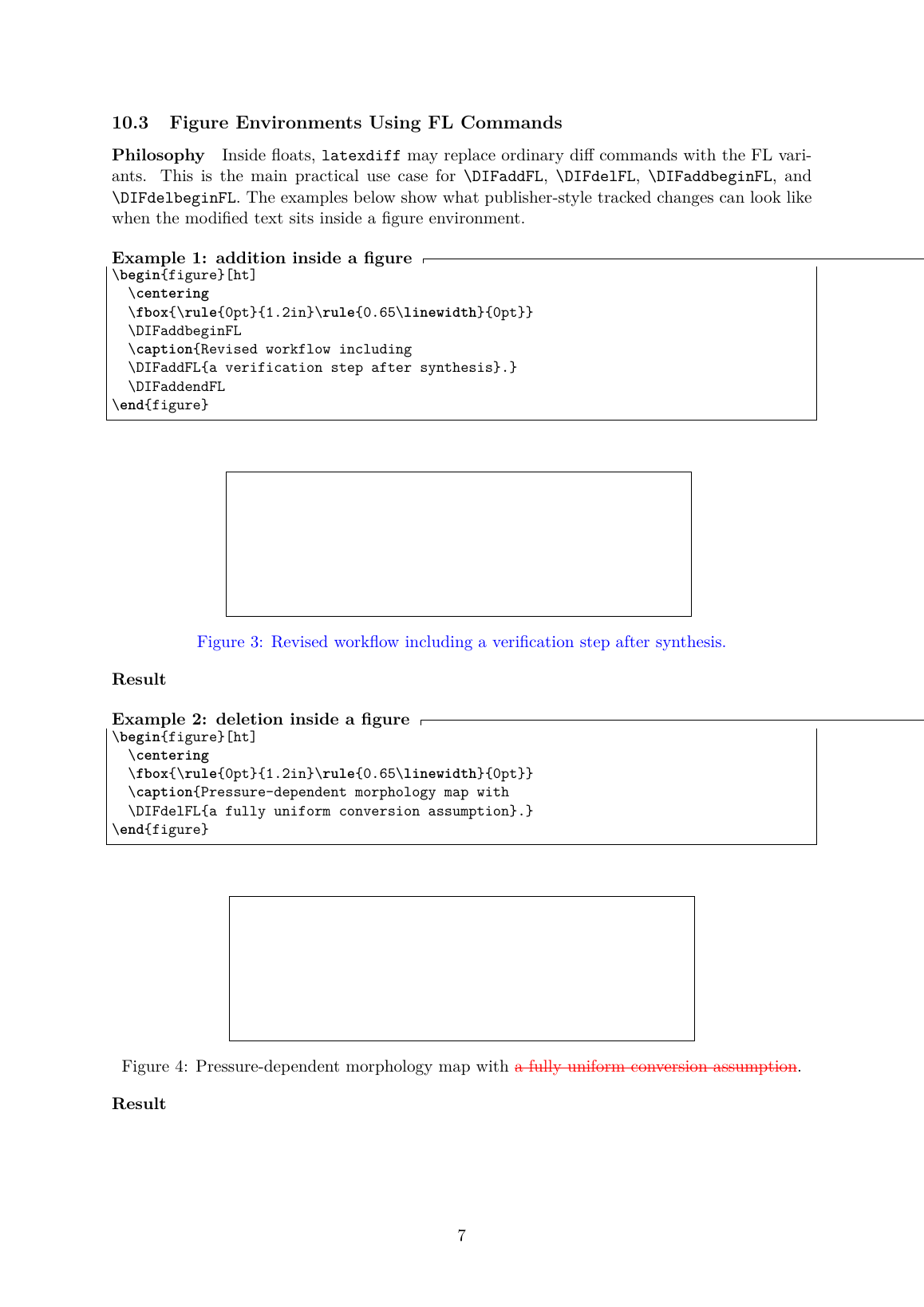 Inside figure environments, the FL variants show how
 latexdiff preserves visible revision markup in float-related contexts.
Practical advice
- Use
\DIFadd{...}and\DIFdel{...}for small inline edits. - Use block begin/end pairs when a whole passage was inserted or removed.
- Treat
FLcommands aslatexdiff’s context-safe wrappers, especially inside floats. - Avoid nested delete markup inside a block that is already being treated as a deleted block.
- Prefer robust block presentation for deleted paragraphs instead of forcing paragraph-wide strikeout everywhere.
Final takeaway
The purpose of these commands is simple: they let LaTeX authors produce the kind of tracked-revision PDF that editors, reviewers, and publishers expect.
If you think of them as “submission-time revision markup” rather than “normal writing commands,” their design becomes much easier to understand:
- inline commands show word-level edits
- block commands show passage-level edits
FLvariants help the markup survive in fragile LaTeX contexts
That is the real role of latexdiff: not just comparing two .tex files, but turning those differences into a review-ready manuscript.